FAQs
This section contains a list of frequently asked questions about the SOR integration. Click any question below to see the answer.
 How can I see if a full synchronization has started?
To check if a full synchronization has started, follow these steps:
-
Open QueryBuilder and select the ServiceQueues entity.
-
Filter on CVRUPD and select the columns you want to display in the search result:
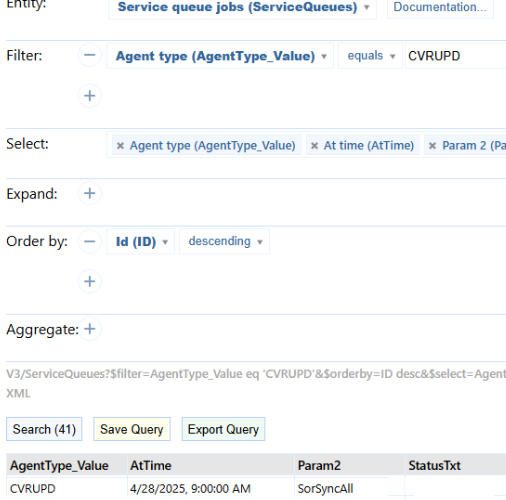
The AtTime column displays the start time of the synchronization. The synchronization service will remain in the service queue until it is completed.
How can I check for errors?
To check for errors, follow these steps:
-
Open QueryBuilder and select the ServiceQueues entity.
-
Filter on CVRUPD and select the columns you want to display in the search result:
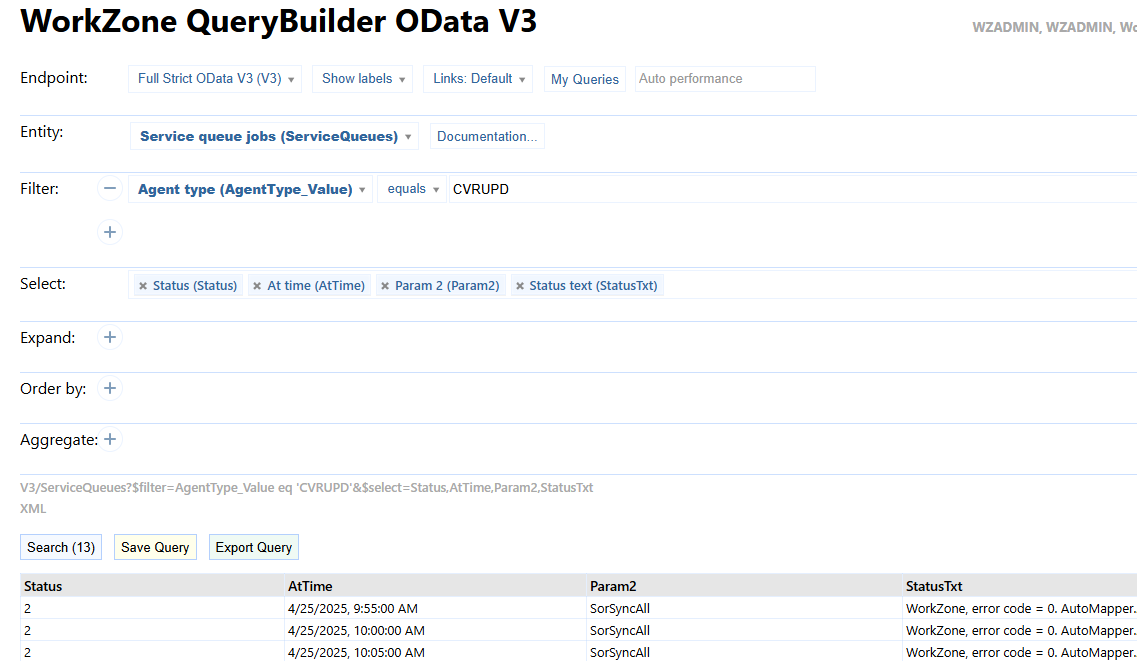
The synchronization service can have the following statuses:
| 1 | Pending, not started |
| 7 | Started |
| 2 | Error |
If the service is not in the service queue, it means that the synchronization is completed.
If the status is 2 (Error), you can see the error description in the StatusTxt column in the QueryBuilder results.
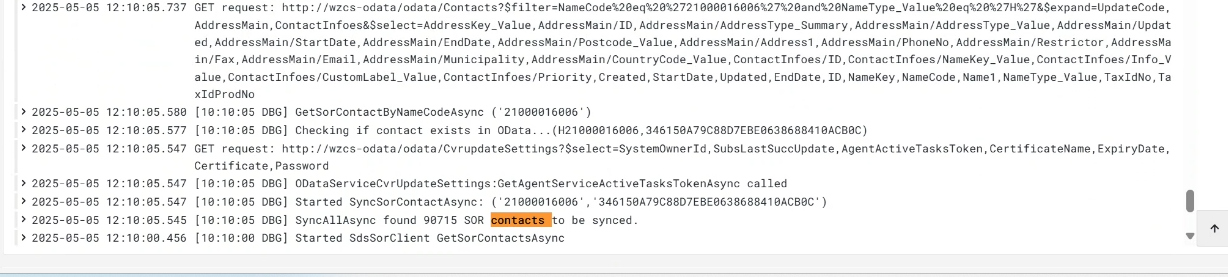
How can I see the status of the SOR synchronization and investigate issues with specific contacts
You can view the log for the wzlogic-updateservice container in Grafana.The log will show that the synchronization has started and the number of updated SOR contacts that will be synchronized with WorkZone. Errors will also be logged in the Grafana log.