WorkZone Mobile requirements to Microsoft Enterprise Mobility Suite infrastructure
The following requirements must be fulfilled for WorkZone installation to allow access to WorkZone by the WorkZone Mobile app managed by Microsoft Enterprise Mobility Suite:
- WorkZone must be configured to use Entra ID authentication.
- WorkZone must be accessible from the public internet.
The diagram below shows a conceptual overview of the components in the infrastructure and how they are set up to support WorkZone Mobile with Microsoft Enterprise Mobility Suite (EMS). Type of firewall, and additional load balancers may vary depending on your setup.
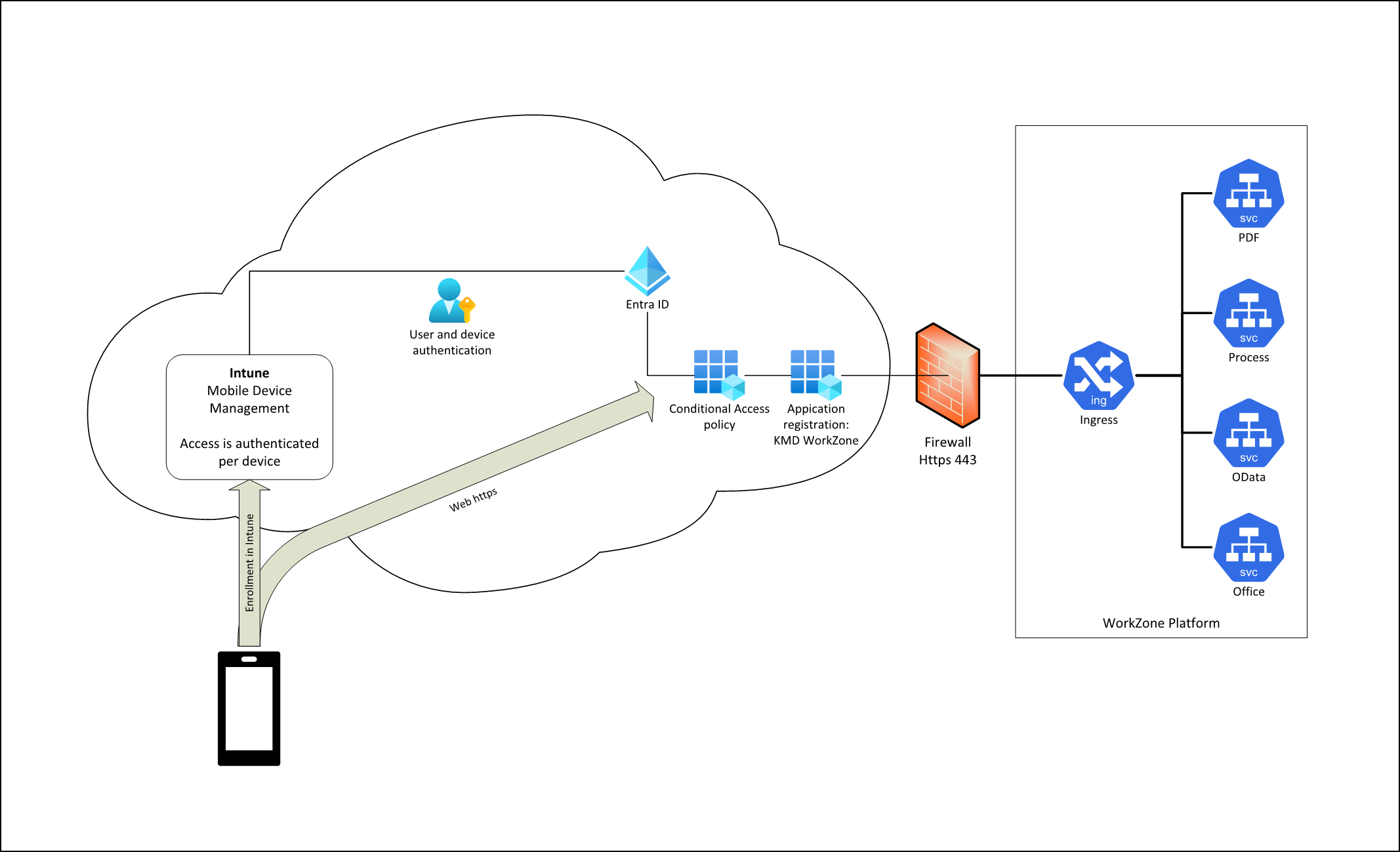
WorkZone must be configured to use Entra ID authentication
All WorkZone versions since 2024.0 natively support user authentication using Microsoft Entra ID. This needs to be correctly configured and working. WorkZone Mobile app will use the same app registration that is already in place, during standard WorkZone installation, to access WorkZone endpoints.
WorkZone must be accessible from the public internet
Mobile devices running the WorkZone Mobile app must be able to reach the WorkZone installation endpoints using the same URL as users and devices using the other WorkZone client applications. Access can then be controlled using Conditional Access in Microsoft Entra ID and can be limited to known devices and users.
Flexible management of security
The utilization of Microsoft Entra ID authentication gives you access to all the options for managing access. When Microsoft releases new features, you will also be able to use these to manage access to WorkZone Mobile.