Look up and add approvers
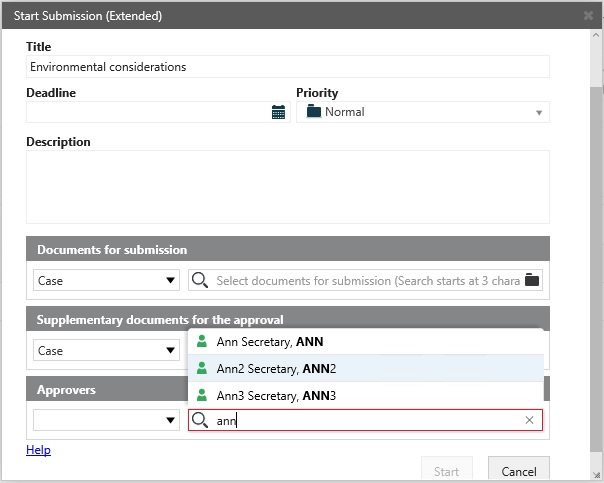
- Click the Approvers field and start typing to display a list of approvers. The list that is displayed is based on the three first characters that you enter.
- Click the name of the approver that you want to add.
-
Note: Approvers that are available for a document or a case can be limited by the access rights that are set up for documents and cases.
For example, if a case has the access code ANN, both ANN and the organizational units that ANN belongs to will be shown on the list of approvers that you can select in the Approvers field. If you select an organizational unit, only the users with the same access code as the access code on the case can see the process, not all users in the organizational unit.
See also:
- For more information about access rights and the effect on actors in processes, see Access rights.
- For information on how to look up and add documents when you start a process, see Look up and add documents.
- For information on lookups available when you work with tasks, see Manage documents and actors on a task.