In the solution, it is possible to specify which security level is required for the individual dialogue in order to be populated and submitted. The security levels available to the individual clients vary. Consult the administrator or contract manager to change this.
Four security levels have been defined:
- Can fill out and submit a dialogue without logging in – can be done with the options Optional and Anonymous.
- Can create user account based on email and custom password – options Email and Email and ID-porten. If you are logged on via AD/ADFS, you cannot create an account, and you cannot verify yourself by two-factor authentication.
- ID-porten and MinID are examples of security level 3. It can be set if you select ID-porten.
- Buypass, BankID and Commfides are examples of this. All these are available if you select ID-porten, but in order only for level 4 to be available in ID-porten, you have to tick Security level 4 in the field that appears next to the Authentication-option under Properties for dialogue.
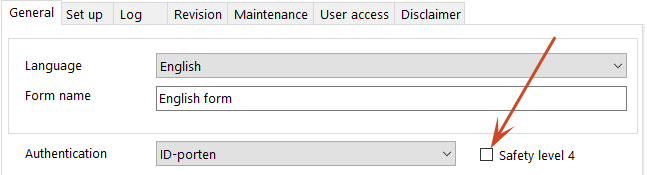
How it works:
Alternative 1
In the dialogue overview, click on the security level type for a dialogue and select from the list of available.
Alternative 2
- Click on Properties in the dialogue overview for the dialogue for which you want to set a security level.
- Select the login type from the Authentication drop-down list.
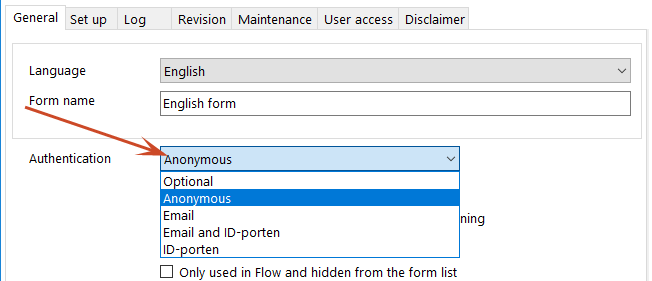
The selected security level will be displayed in the dialogue overview.
 See also