Custom elements are dialogue elements that the user has composed, adapted and saved for later use. A distinction is made between global and local custom elements.
 Local custom elements
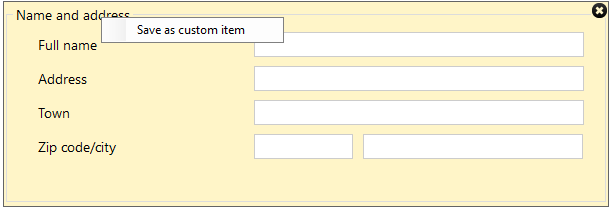
The user can create its own custom elements when building the dialogue. These elements are saved locally for that user. It is only possible to save elements that are in a group when you create local custom elements.
How to proceed:
- Right click on group and select Save as custom element.
- Enter the name of the element.
- It is now available in the Elements zone under Custom elements:
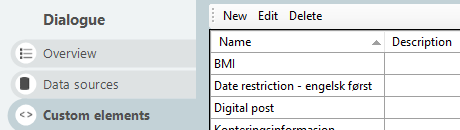
Global custom itemYou create global custom elements from the overview screen in Interact. Select the menu item Custom elements. Here you will see an overview of all custom elements saved. Press New to create a new.
In the Global variant, you will get the same build mode as when you create a dialogue. This allows you to build larger and more complex custom elements, and you are not limited to only one group at a time.
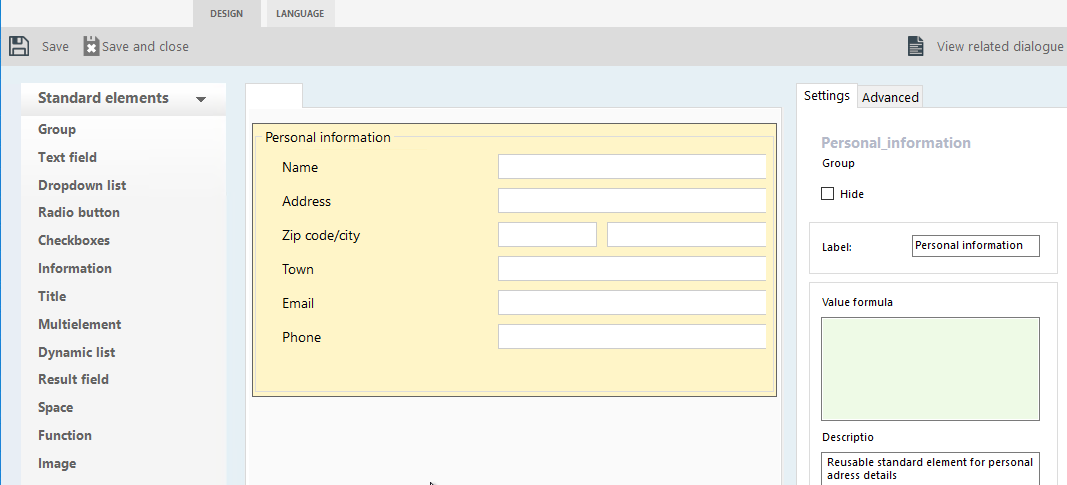
The screen above shows the editor for Custom elements – approximately the same mode as when you build a dialogue.
All global custom elements used to build dialogues are also maintained globally. This means that I.e.if changes are made to a global element, then all dialogues using the relevant global element are updated too.
A global element can be locked for changes in build mode. This means that when you build a dialogue and select a custom element that is locked, then you cannot make further adjustments to the specific dialogue.
It is possible to unlock the global custom elements and you will then get a notification that it is no longer a global custom element, but a local one which must be maintained for the given dialogue for which it has been customised.
By clicking outside the elements, you can enter a name of the custom element or add an explanation in the field Description in the right zone.
Advantages of using custom elements:
- It is more effective to build a dialogue when you can include more readily customised elements.
- Advanced functions such as integrations/lookups can be created once but be reused whenever you want (e.g. Norwegian Central Register for Legal Entities, National Registry, etc.). Norwegian Central Register for Legal Entities, National Registry, etc.).
- Advanced custom validations can be saved as a template and be reused when needed.
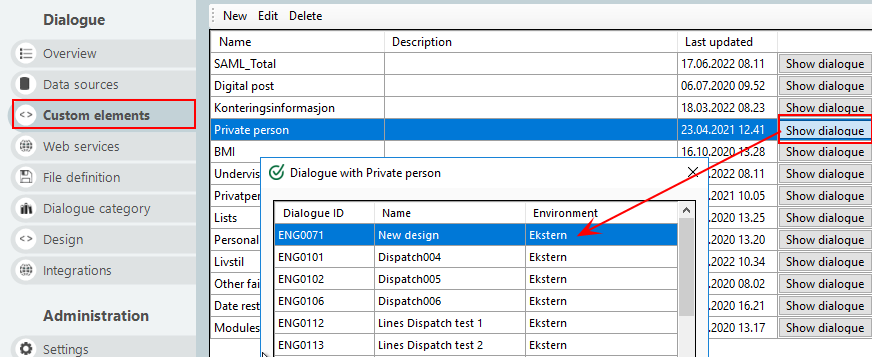
By clicking onShow dialogue on the custom element you can see which dialogues use this, and in which environment this is published in. This can be useful when you need to see which dialogues are affected by changing or deleting elements.
Note! If you delete a global custom element, then it is deleted in all dialogues that use the element.
Language
Custom elements can be translated into the disired languages. When you translate a custom element into the specified language, then you do not have to translate it again when you use it in a dialogue translated to that language. Click on the Language tab at the top of the menu bar to translate into the desired language.